Step 1
Morning Check-In
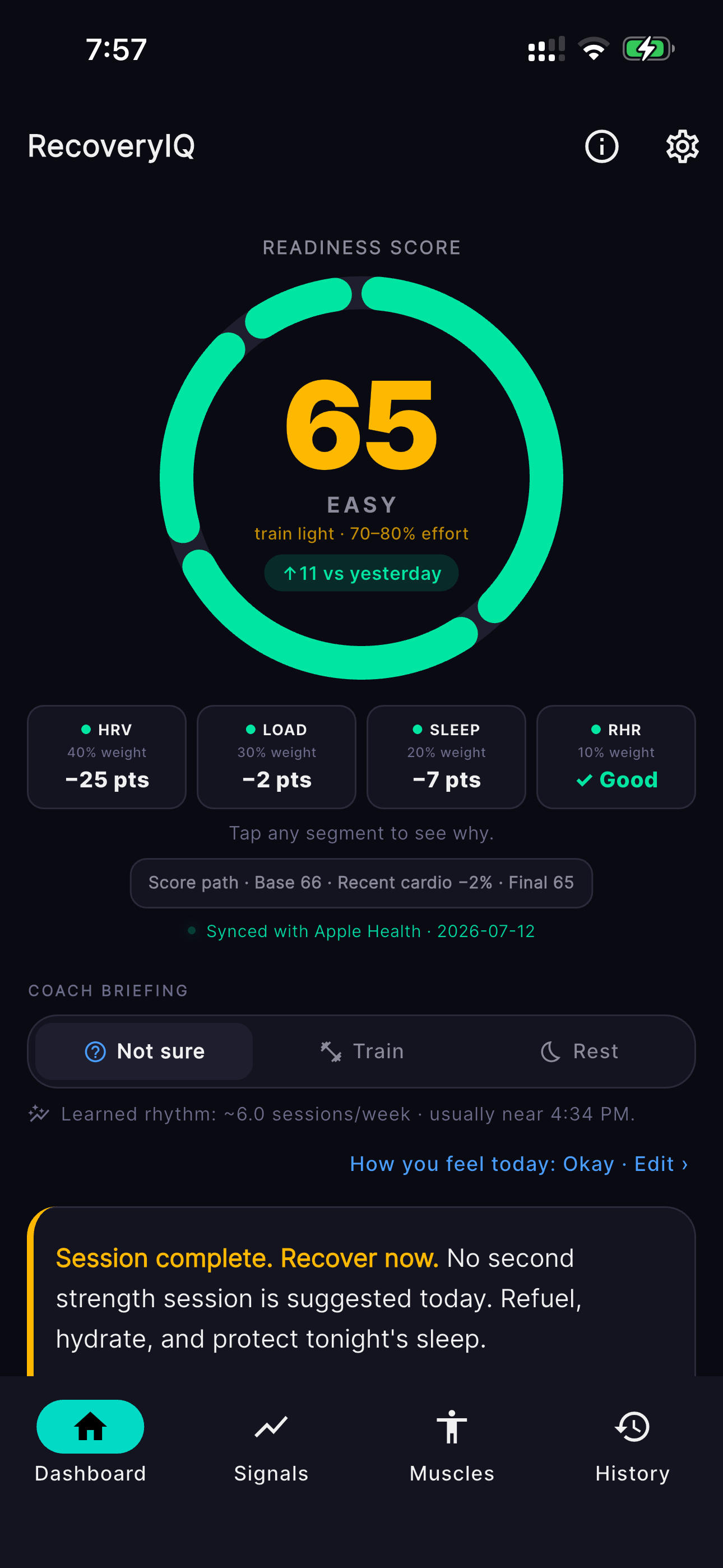
Start your day with a clear picture of your recovery status. Your readiness score is calculated automatically while you sleep, pulling HRV, RHR, and sleep data from Apple Health in the background — and in v2.2.0, tapping the score shows the full breakdown of exactly why.
-
Readiness score calculated automatically while you sleep
-
HRV, RHR, and sleep data synced from Apple Health
-
Tap the score for a full breakdown: points per signal, plus active SpO2/respiratory/temperature modifiers
-
No manual data entry required with Apple Watch
Step 2
Pre-Workout Review
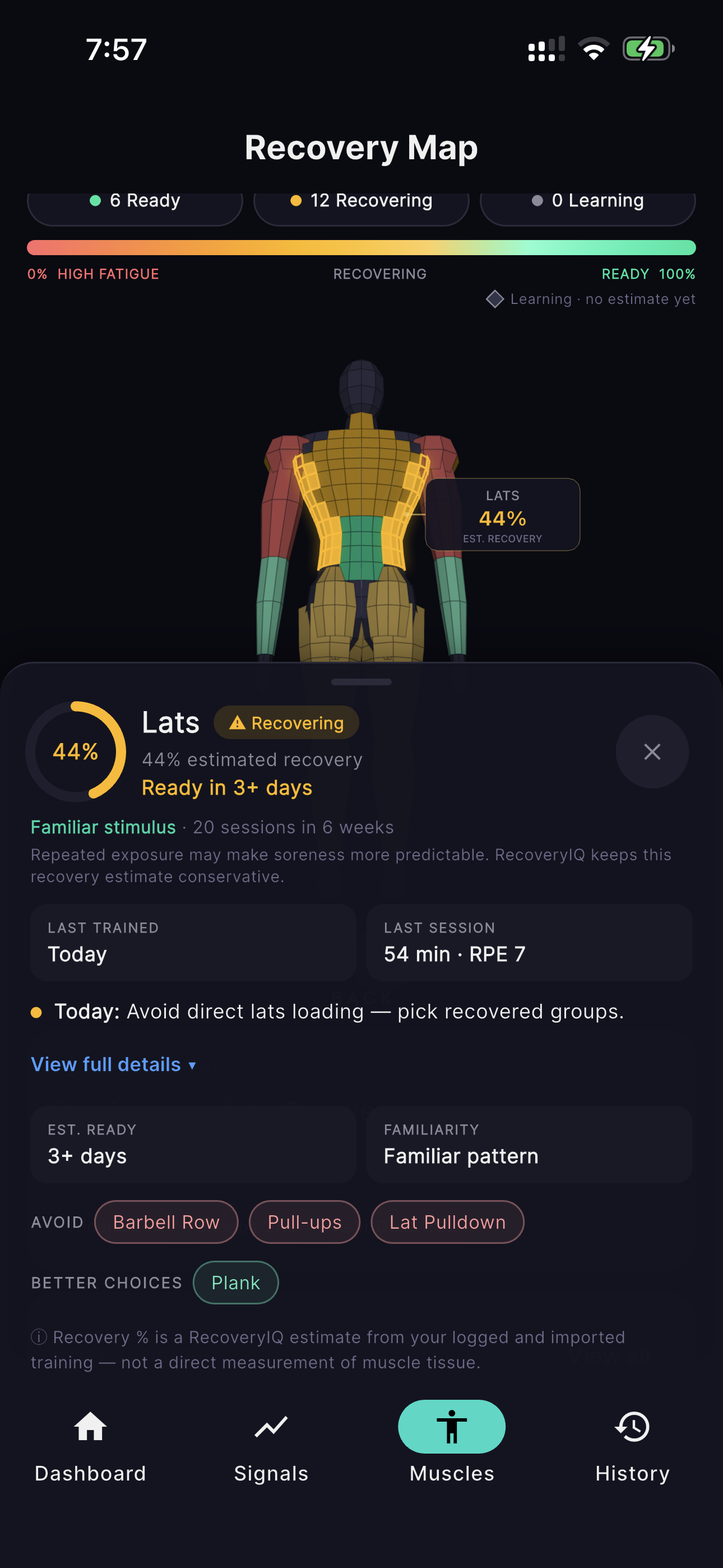
Before you train, check the 3D Recovery Map to see which muscles are ready to work. Drag to rotate the figure, tap any of 18 muscle groups, and read the continuous fatigue-to-ready spectrum to make informed decisions about your workout.
-
Rotate the 3D figure — front, back, and quarter views
-
Continuous fatigue-to-ready color spectrum (not just a few fixed colors)
-
Tap any muscle for recovery percentage, ETA, and exercises to avoid or favor
-
Muscles without enough data show an honest "Learning" state, never a false 100%
Step 3
Post-Workout Enrichment
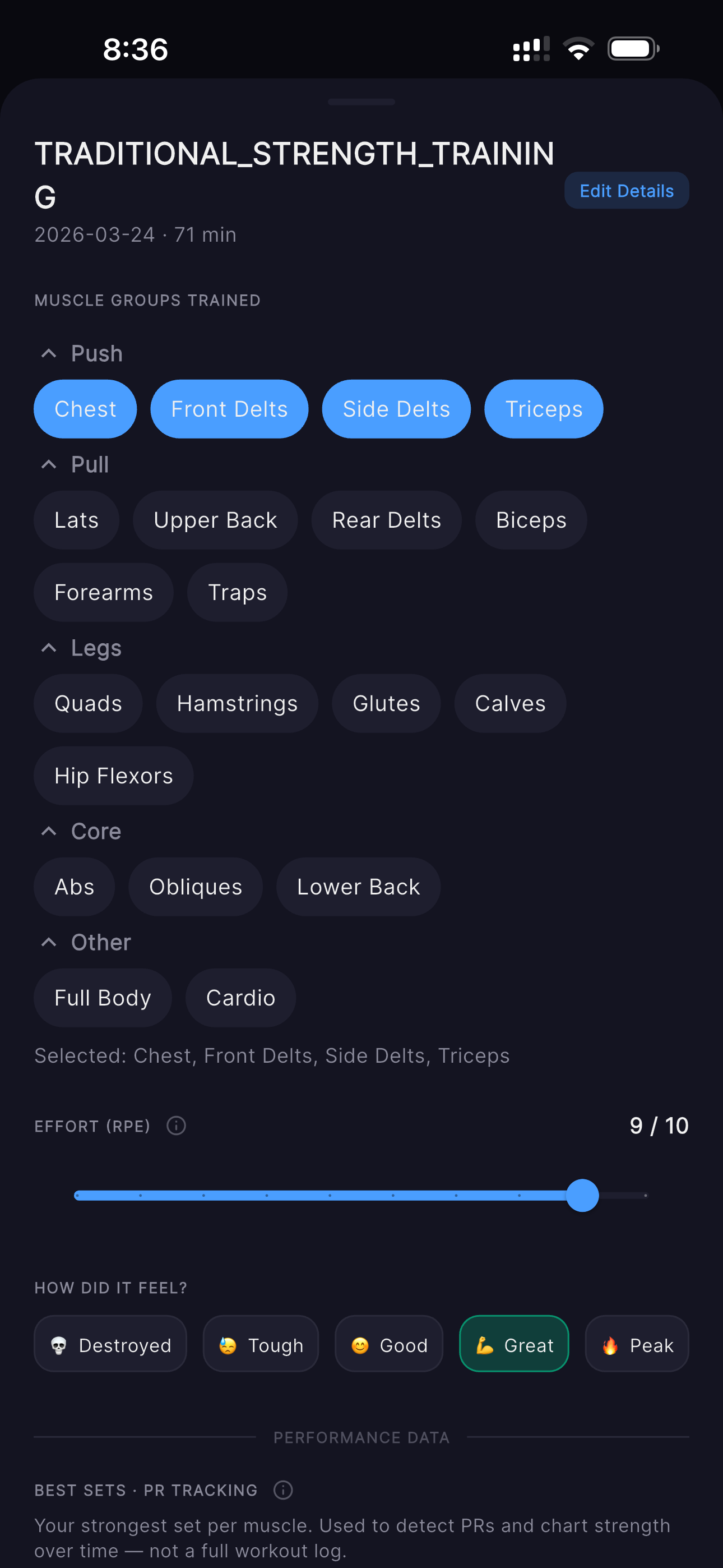
After your workout, add the context that drives your recovery tracking. Apple Watch captures the basics automatically, but you tell RecoveryIQ which muscles you trained and how hard you pushed.
-
Apple Watch captures duration and heart rate automatically
-
Add muscle groups and RPE after your session
-
Drives the Recovery Map and DOMS calculations
-
Works with manual workout logs too (no Watch required)